Guides
How to Convert HEIC to JPEG Online with Zight
Follow this simple step-by-step guide to convert your HEIC files into JPEG format using Zight’s free online tool .
1
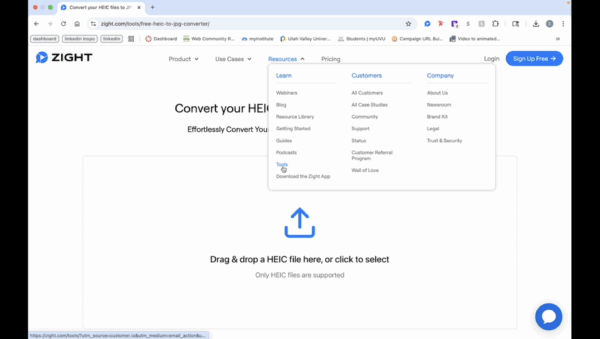
Navigate to Zight Website
- Visit the Zight website to start the conversion process. Go to ‘Resources’ and select ‘Tools’ from the ‘Learn’ column.
2
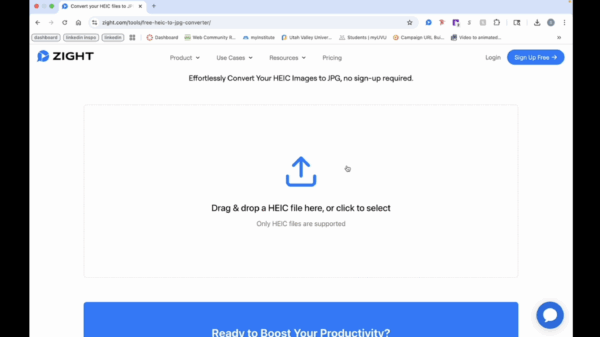
Upload Your HEIC File
- Drag and drop your HEIC file, or click anywhere in the area to open your finder. Click on your file and then click ‘Open’ to upload.
3
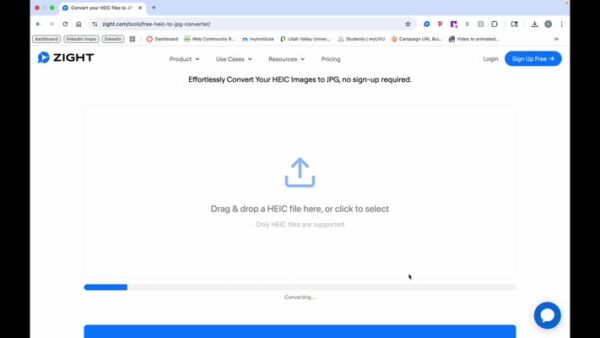
Start Conversion
- The file will start converting, and a preview will be shown.
4
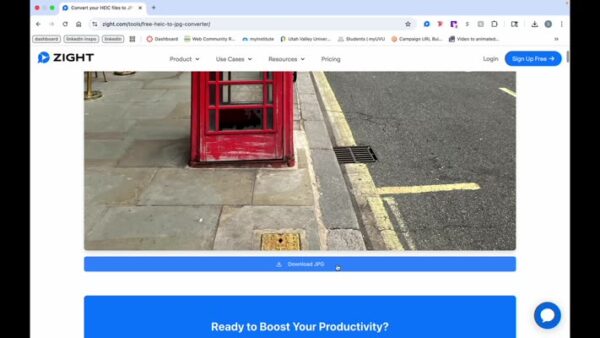
Download JPEG
- Click on ‘Download JPEG’ to save your converted file.