Guides
How to Add a Custom Emoji in Slack
Want to make your Slack messages more fun and personalized? Custom emojis are a great way to add team culture, inside jokes, or brand flair to your conversations. This step-by-step guide walks you through how to upload and start using your own emoji in Slack, no design skills needed.
1
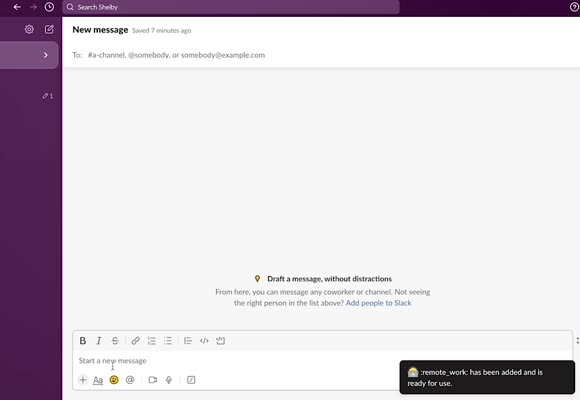
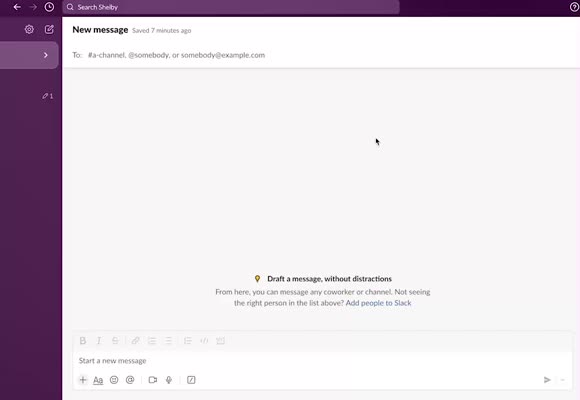
Open a Message in Slack
2
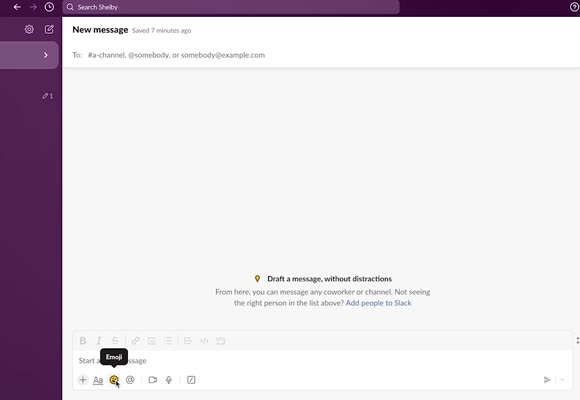
Click on the Smiley Face at the Bottom to Open the Emoji Menu
3
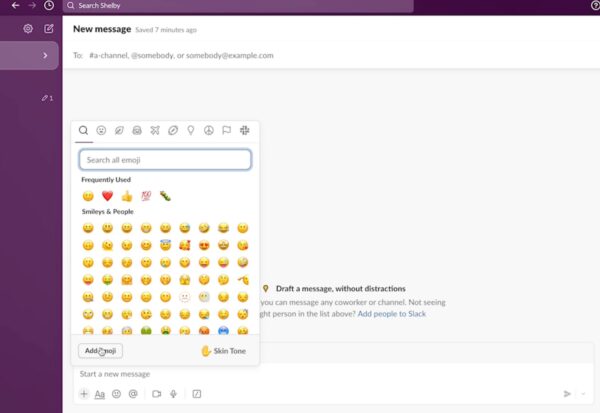
Click “Add Emoji”
4
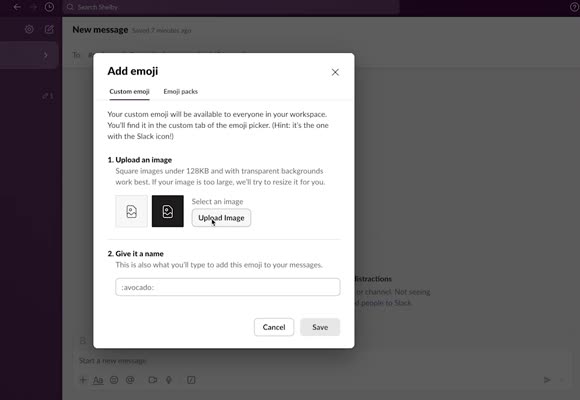
Upload Emoji
- Find an emoji you like, save it to your laptop, and click on “Upload Image.”
5
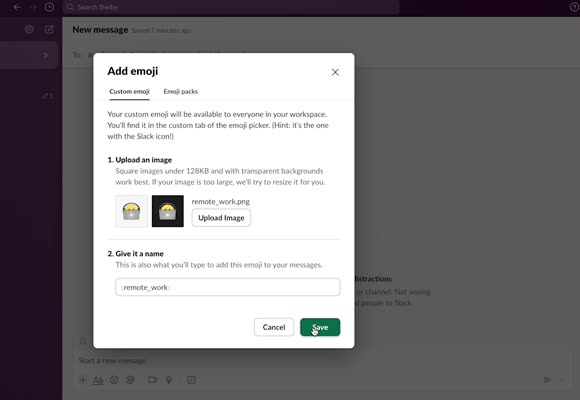
Save the Emoji
6
Emoji is Ready to Use