Guides
How to Use Zight’s Free Color Inverter Tool
This step-by-step guide walks you through how to use Zight’s free color inverter tool . Learn how to upload your image, preview the results, choose your output format, and download your inverted image instantly. No software or signup required.
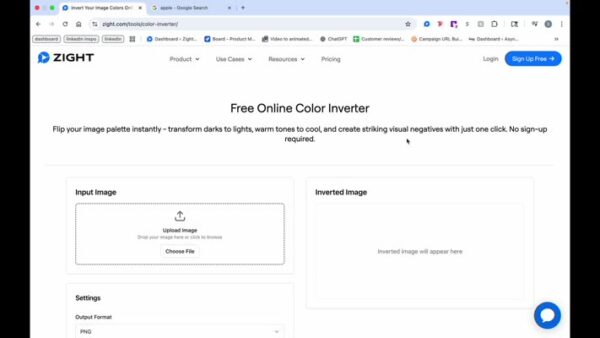
1
Navigate to the Input Image Section and Choose a File
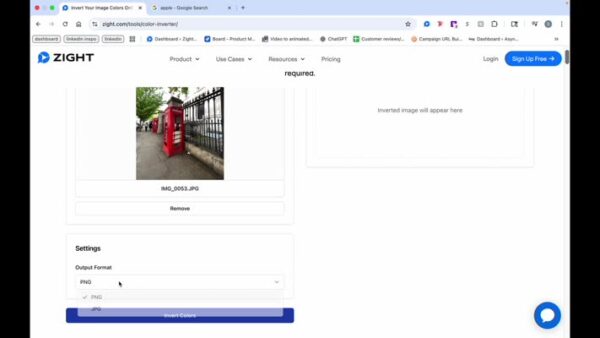
2
Preview the Image and Select Your Output Format
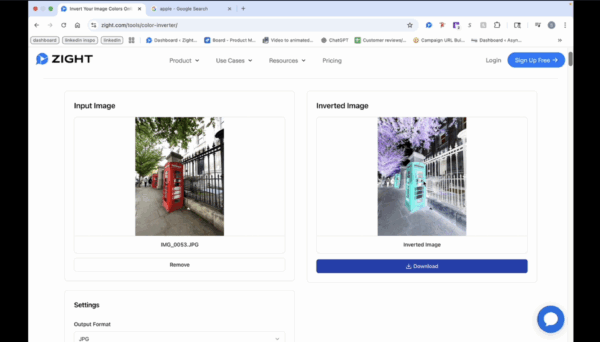
3
View and Download the Inverted Image